

Your attendees' train journeys, live on the big screen.
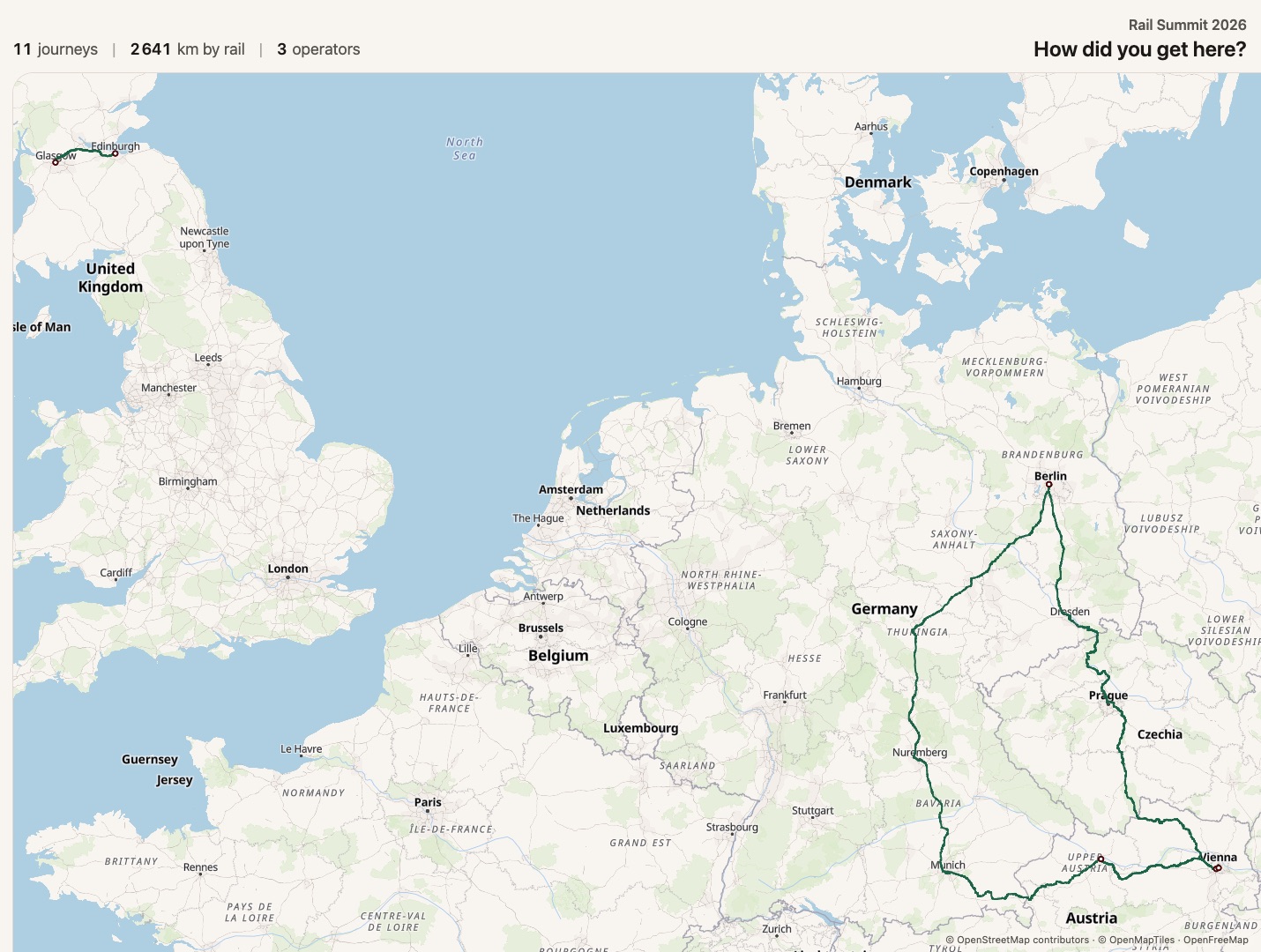
viaduct Social Map is an icebreaker for your event, built on an interactive rail map. Ask your audience about their longest train trip, their most memorable one or a route they would recommend, and every answer appears on the map as it comes in.
How it works
- 1
Scan the code
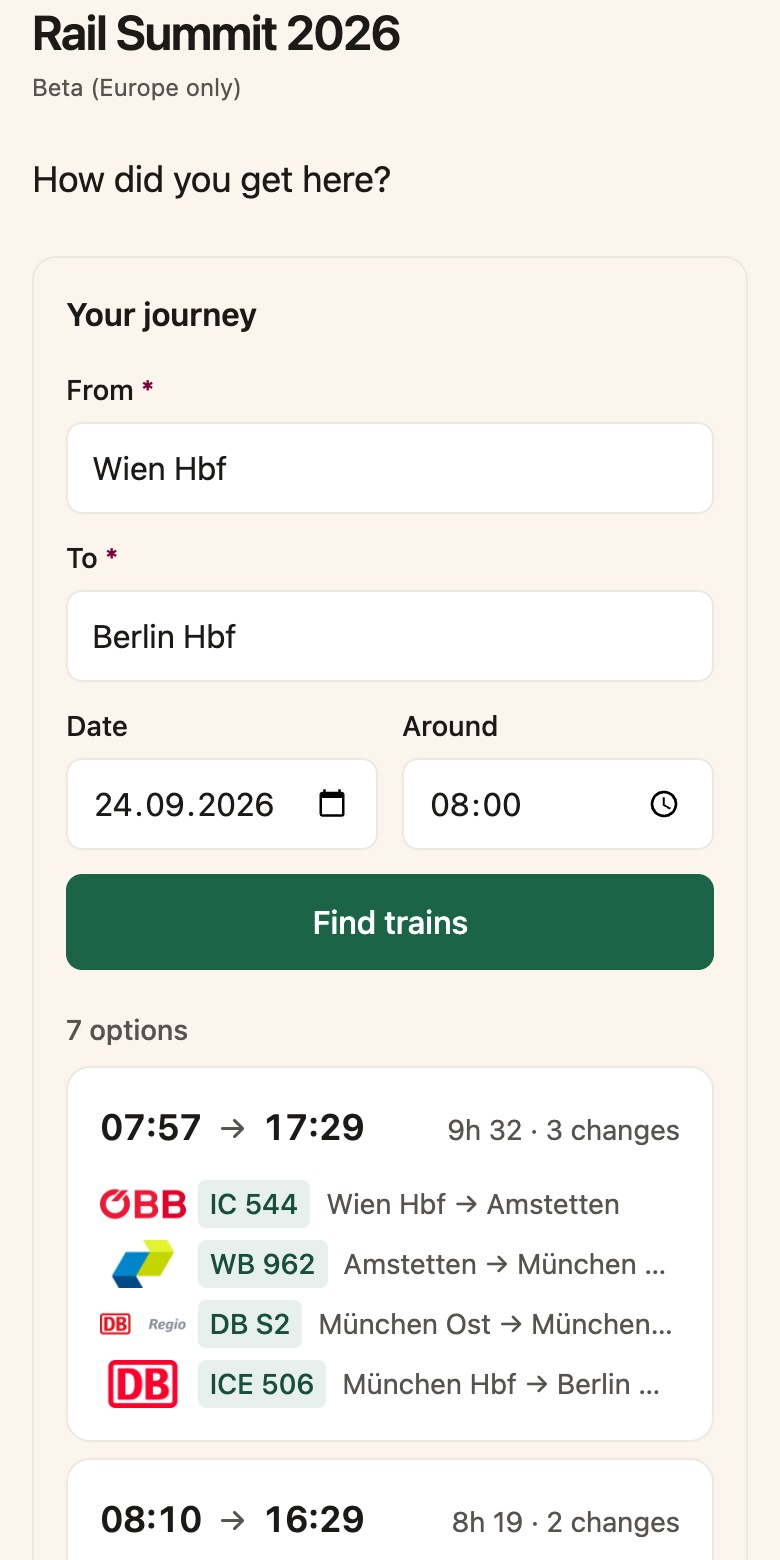
The wall shows a QR code and a short event code. Attendees open it on their phone at viaduct.live. No app to install, no account to create.
- 2
Add the journey
They search their train connection or enter it leg by leg, then add a name and a note if they like. Both are optional.
- 3
Watch the map fill up
Each journey is drawn along the real rail line, and the totals update live: journeys, km by rail, operators and countries.
Why it works on the day
Real rail routes, not pins
Every entry is a routed train journey with its distance, operators, and the countries it crossed. The interactive map shows what the group travelled together.
Your prompt, your event
You choose the question: how people got to the event, their longest trip, the one they remember most, or a route they would recommend.
Moderation from your phone
Hide any entry in one tap or pause the wall, from a private moderation link. Changes reach the screen within seconds.
Built for big and small screens
Made to run all day on a big screen and also accessible on mobile devices, with several map styles and a tour that moves between the overview, continents and single journeys.
Great for events such as
- Conferences where travel is part of the story
- Rail and mobility industry events
- Sustainability summits and climate meetups
- Associations and networks bringing members together
- Company offsites and team events
Now booking pilot events
viaduct Social Map is priced per event. We set up your event and configure it together with you. Just tell us the date and the expected number of attendees.
Planning an event?
Tell us about it, and we will show you how Social Map would look on your screen.